


 Italiano
Build, publish, and manage contact forms on your WordPress site. Drag-and-drop editor with live preview, built-in submission storage, configurable email notifications, GDPR compliance tools, and full WCAG 2.2 AA accessibility.
FAQ |
Download from WordPress.org |
Support Forum
Overview
Contact Forms by Cimatti is a free WordPress plugin for creating contact forms, registration forms, application forms, feedback forms, and any other form you need on your site. It runs entirely on your server with no external services, no account signup, and no recurring fees.
Version 2.0 is a major rewrite focused on accessibility, modern admin UI, and privacy compliance. It maintains full backward compatibility with existing forms created in earlier versions.
Key Features
Drag-and-Drop Form Editor with Live Preview
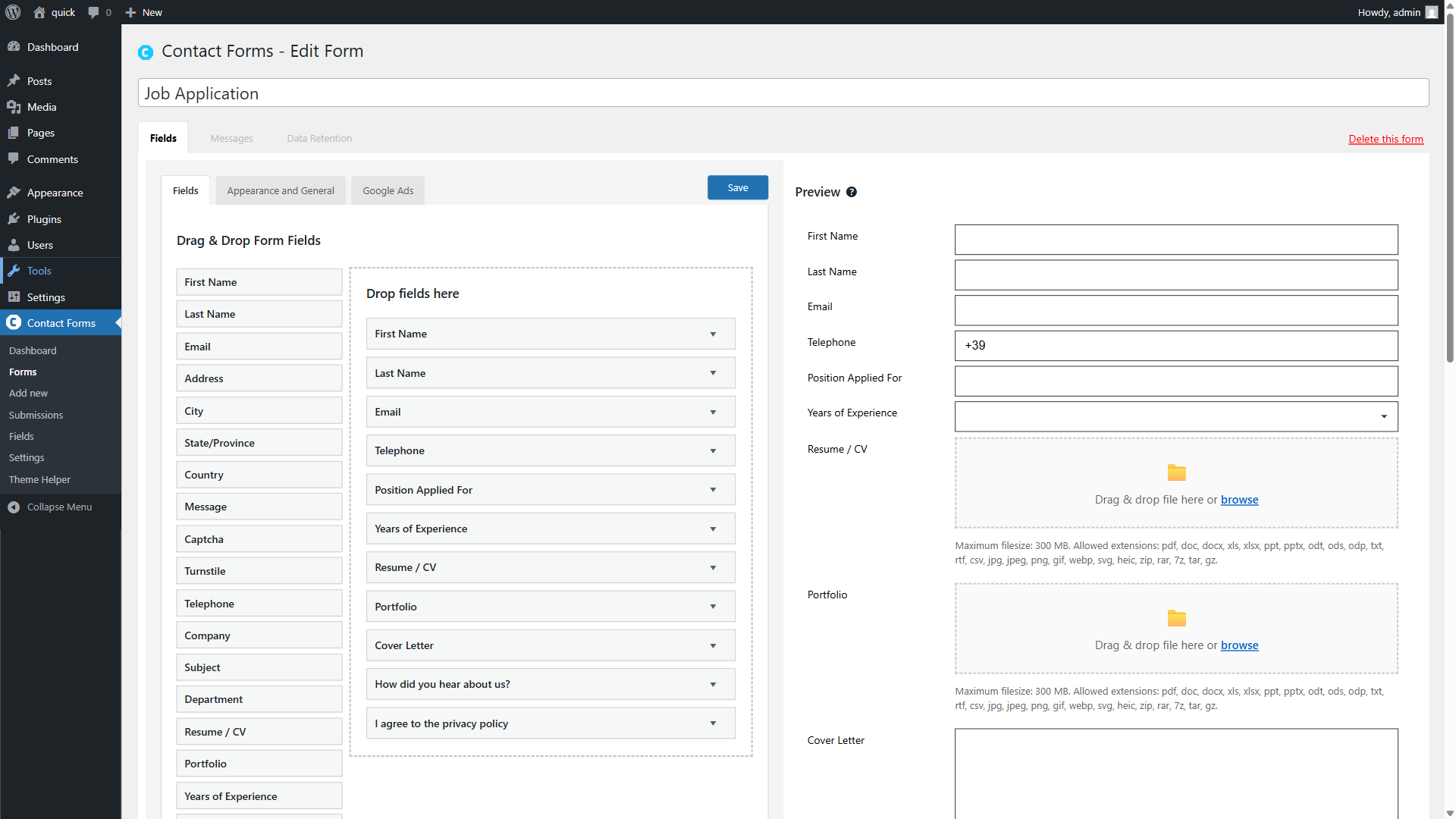
Create forms by dragging fields from the field panel into the form area. The live preview updates instantly as you add, remove, or configure fields, so you always see exactly how the form will look on the frontend.
Available Field Types
| Field Type | Description |
|---|---|
| Text Field | Single-line text input for names, addresses, or any short text. |
| Text Area | Multi-line text input for messages, comments, or longer content. |
| Email address field with format validation. | |
| Autoreply Email | Email field that also triggers the visitor confirmation email. Use this instead of Email when you want to send an automatic reply to the person who fills out the form. |
| Telephone | Phone number field with country prefix selector and E.164 format validation. |
| Checkbox | Single checkbox, typically used for consent or agreement fields (e.g. “I agree to the privacy policy”). |
| Select | Dropdown menu for choosing one option from a list. |
| Radio Buttons | Group of options where only one can be selected. Per-option CSS class and ID supported. |
| Multiple Select | List box allowing multiple selections (hold Ctrl/Cmd to select more than one). |
| Multiple Checkboxes | Group of checkboxes allowing multiple selections. Per-option CSS class and ID supported. |
| Post Select | Dropdown populated automatically with posts from a selected post type. |
| Multiple Post Checkboxes | Checkbox group populated automatically with posts from a selected post type. |
| Date | Date picker with configurable minimum and maximum date range. |
| Color Picker | Color selection field using the WordPress native color picker. |
| Hidden Value | Hidden field not visible to visitors. Useful for tracking information or passing values via URL parameters. |
| File Upload | Drag-and-drop file upload with visual dropzone, file list, keyboard navigation, and configurable allowed extensions. |
| Password | Password field with masked input. |
| Password and Confirmation | Two password fields that must match. Used in registration forms. |
| Custom HTML | Insert static HTML content in the form (headings, paragraphs, instructions, dividers). |
| Fieldset | Group fields visually with a labeled border. Adds a fieldset/legend HTML element for semantic grouping and accessibility. |
| Captcha | Google reCAPTCHA v2 when API keys are configured in Settings, or a math-based captcha as fallback. |
| Turnstile | Cloudflare Turnstile verification. Requires the Simple Cloudflare Turnstile plugin for API key configuration. |
| Submit Button | Form submit button with customizable label. |
Custom fields can be created from Contact Forms > Fields and reused across all forms. External plugins can register additional field types using the accua_forms_field_types filter.
Accessible by Default (WCAG 2.2 AA)
Forms meet WCAG 2.2 AA and European Accessibility Act requirements out of the box. This includes ARIA attributes on all elements (aria-required, aria-invalid, aria-describedby, aria-live regions), a validation summary with clickable links that scroll to and focus the field with errors, real-time inline validation on blur and change events, keyboard-accessible file upload with screen reader announcements, and loading state feedback with aria-busy during AJAX submission.
Three Layout Options
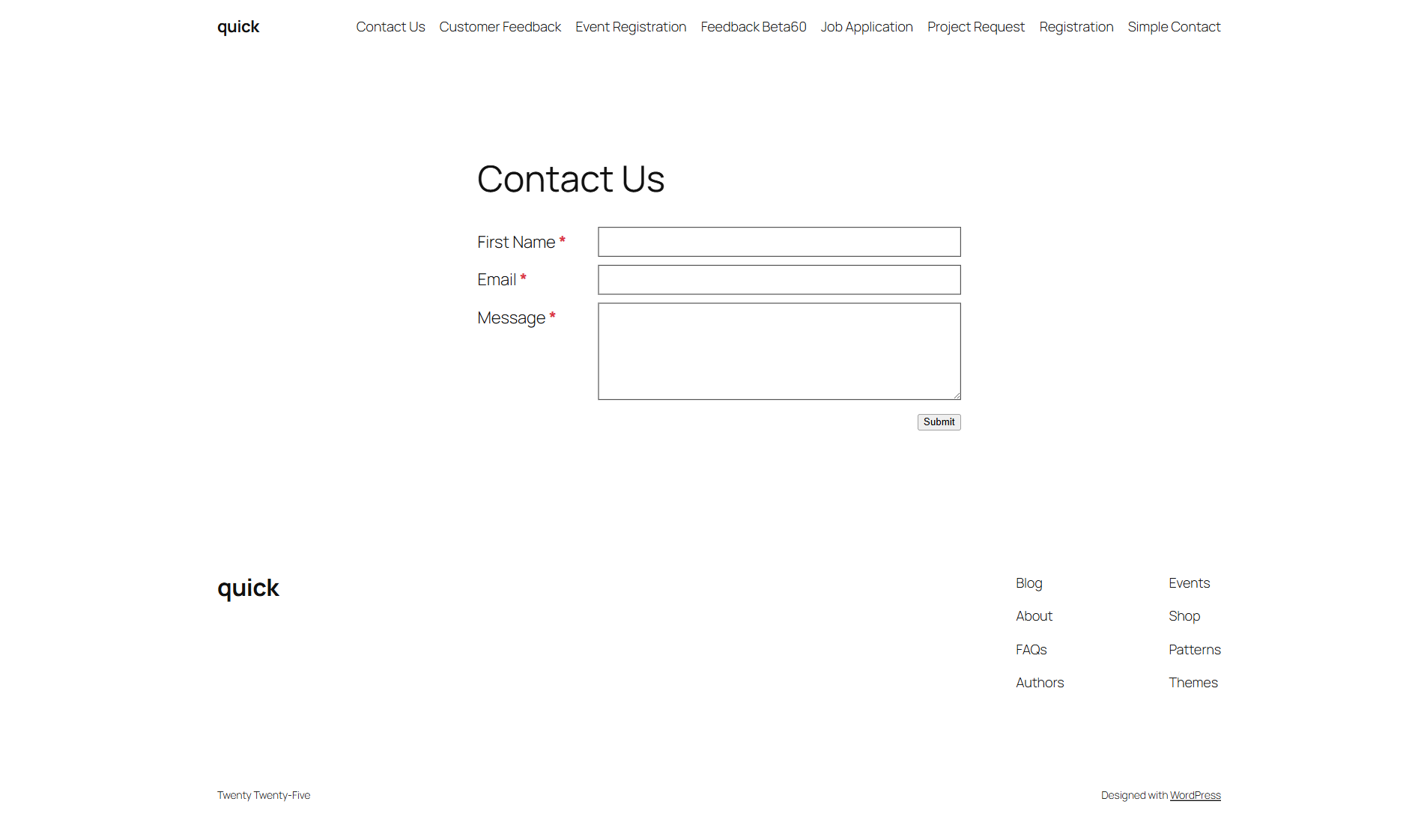
- Standard – Labels above fields, the default layout.
- Side by Side – Labels on the left, fields on the right.
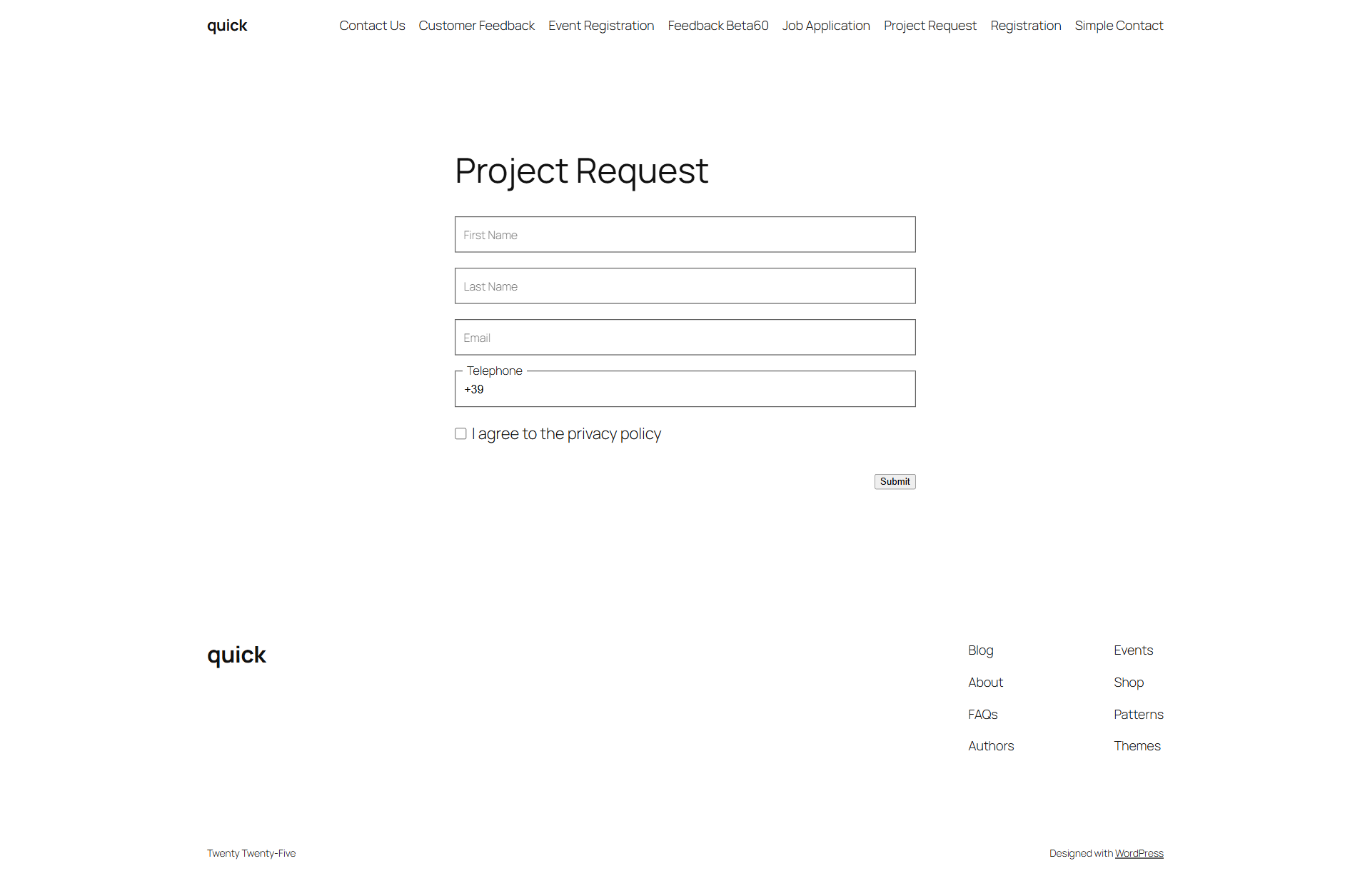
- Inline Labels – Floating labels that sit inside the field and move above it when focused or filled.
Each layout is responsive and fully accessible.
Submission Storage and Export
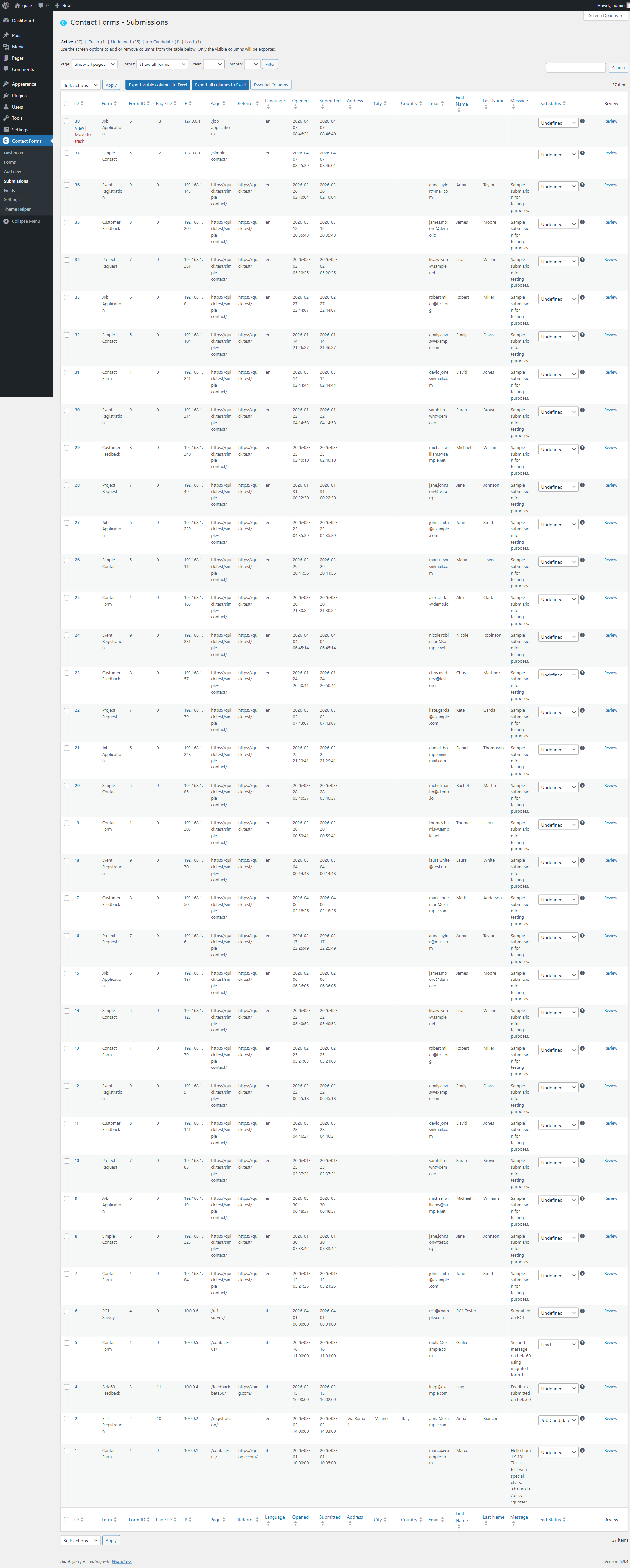
Every form submission is stored in your WordPress database. View, search, filter, and export submissions to Excel directly from the admin panel. The sortable list table shows all form fields as columns with row actions for viewing, trashing, and restoring submissions. Assign lead statuses and add notes to individual submissions.
Dashboard and Analytics
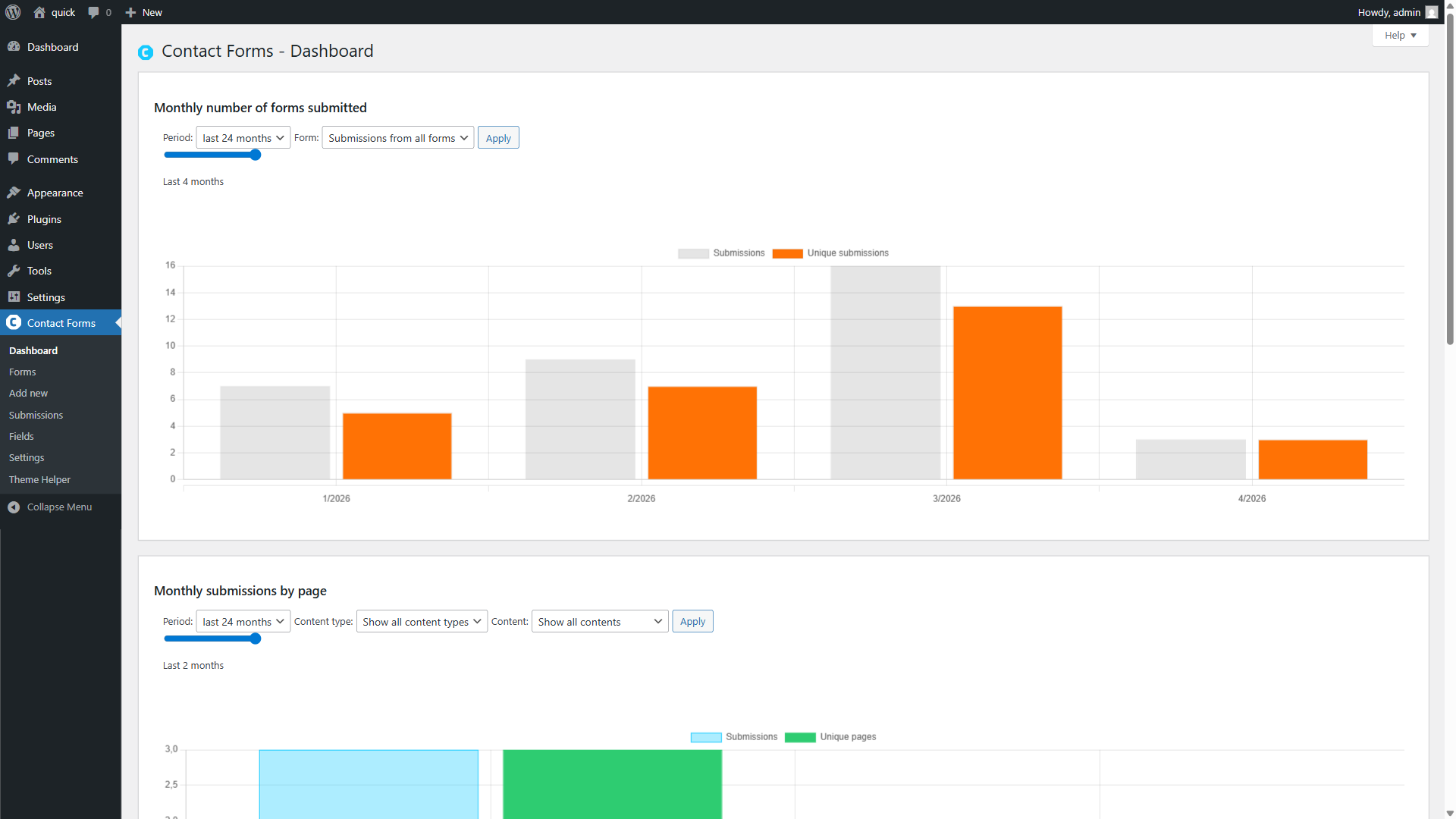
Track submission volume over time with interactive charts. Filter by form, time period, content type, or page. A second chart shows monthly submissions by page, so you can see which pages generate the most contacts.
Email Notifications
Configure admin notification emails and visitor confirmation emails per form. Use tokens for dynamic content: {first_name}, {email}, {__url}, {__ip}, {__submitted_html}, and many more. Set custom From name and email address. Use conditional tags like [form_if {__referrer} […]] to include content only when a value is present.
GDPR and Privacy
- Configurable data retention per form (days, months, or years).
- Choose between anonymization or permanent deletion for expired data.
- Automated cleanup via WP-Cron.
- Manual anonymization for individual submissions or in bulk.
- WordPress Privacy API integration (personal data exporter and eraser).
- Deactivation cleanup options: keep data, anonymize, or delete everything.
- Privacy policy suggestion text included.
Spam Protection
Three options for protecting your forms:
- Captcha – Built-in field with Google reCAPTCHA v2 (configure your API keys in Contact Forms > Settings) or a math-based fallback when no keys are configured.
- Turnstile – Cloudflare Turnstile support via the Simple Cloudflare Turnstile plugin.
- Hidden field – Use a hidden field as a honeypot technique.
File Upload
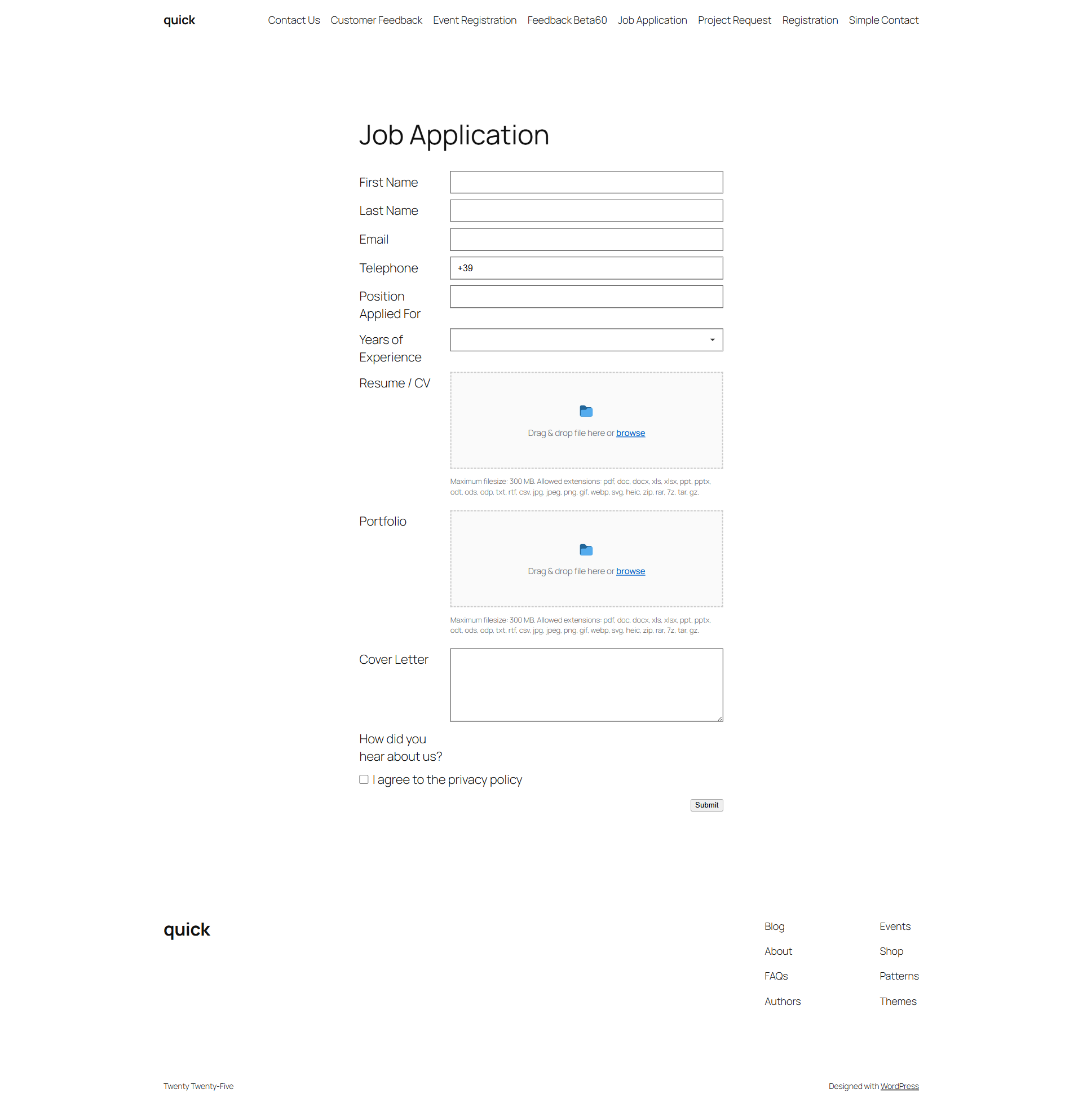
Modern drag-and-drop file upload with a visual dropzone, file list display (filename, size, remove button), keyboard navigation, screen reader announcements, configurable allowed extensions per field, and case-insensitive server-side validation.
Customization
- Custom validation messages per field and per form instance.
- Custom CSS class and CSS ID on all field types.
- Per-option CSS class and ID on radio buttons and checkboxes.
- Inline style settings for colors, margins, borders, padding, button styles.
- Custom success and error messages per form.
- Field label override per form (useful for translating individual forms).
Default Fields
On activation, the plugin creates these ready-to-use fields: First Name, Last Name, Email (autoreply), Address, City, State/Province, Country (dropdown with all countries), Message, Telephone, Captcha, and Turnstile. You can use them as-is or customize them from Contact Forms > Fields.
Theme Helper
Built-in diagnostic tool (Contact Forms > Theme Helper) that scans your theme’s CSS for rules conflicting with Contact Forms styling. Enter any frontend page URL and the tool identifies the conflicting selectors, CSS properties, and approximate line numbers in your stylesheets. Useful for resolving display issues caused by theme CSS overrides.
Block Editor and Classic Editor
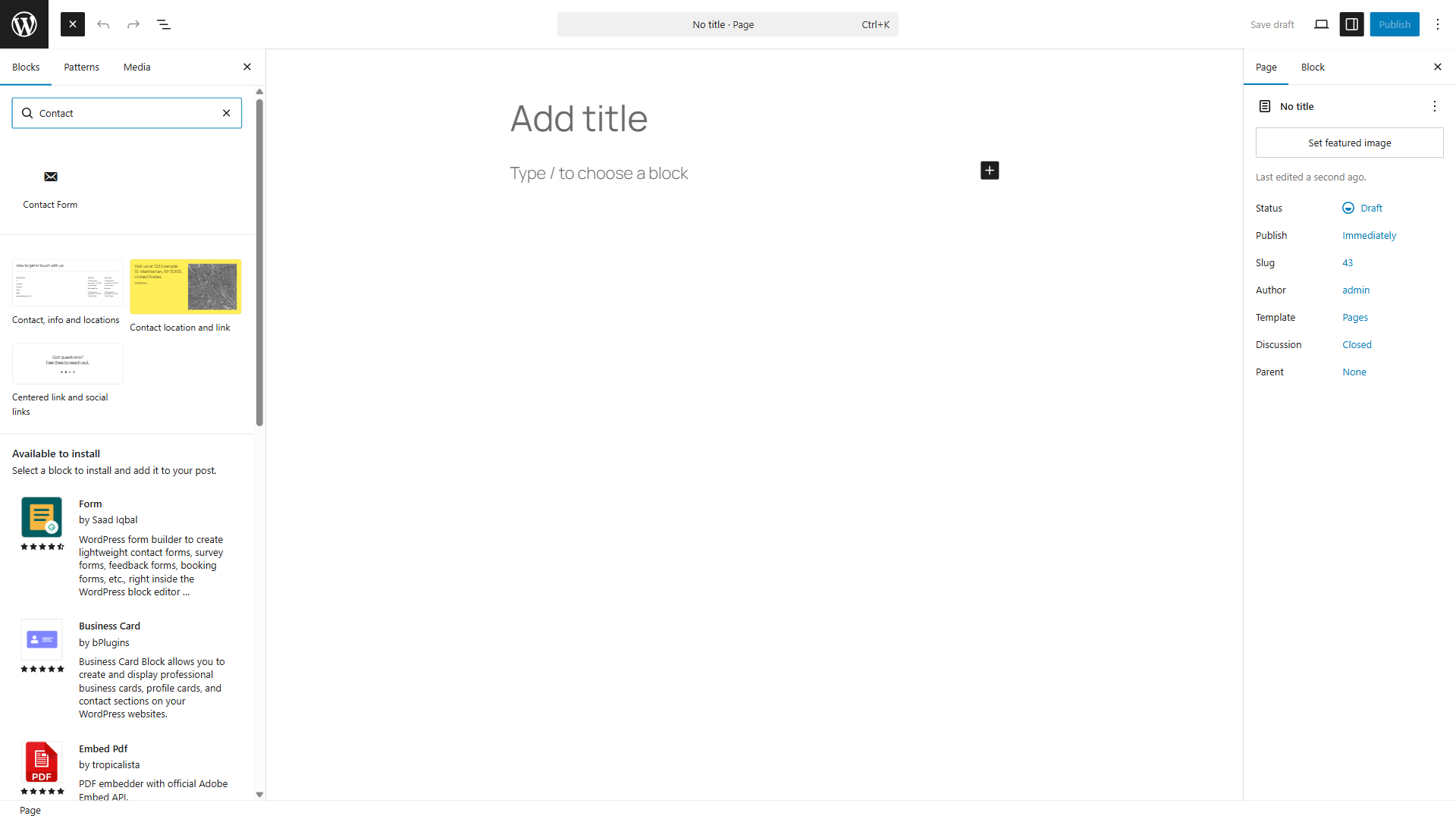
Insert forms using the native Gutenberg block (search “Contact Form” in the block inserter and select your form), the classic editor toolbar button, or the shortcode displayed in the form list.
Developer Features
- Five extension hooks for external plugins to register custom field types.
- WordPress filters for form generation, value validation, and custom tokens.
- English, Italian, and Spanish translations included.
- WPML compatible via wpml-config.xml (string translation).
- To show a form in another language, duplicate the form and override the field labels.
Screenshots
Form Editor with Live Preview
Drag fields from the panel, configure options, and see the result update instantly.
Frontend: Standard Layout
Clean contact form with labels above fields.
Frontend: Inline Labels
Floating labels that move above the field on focus.
Frontend: File Upload
Job application form with drag-and-drop upload dropzones.
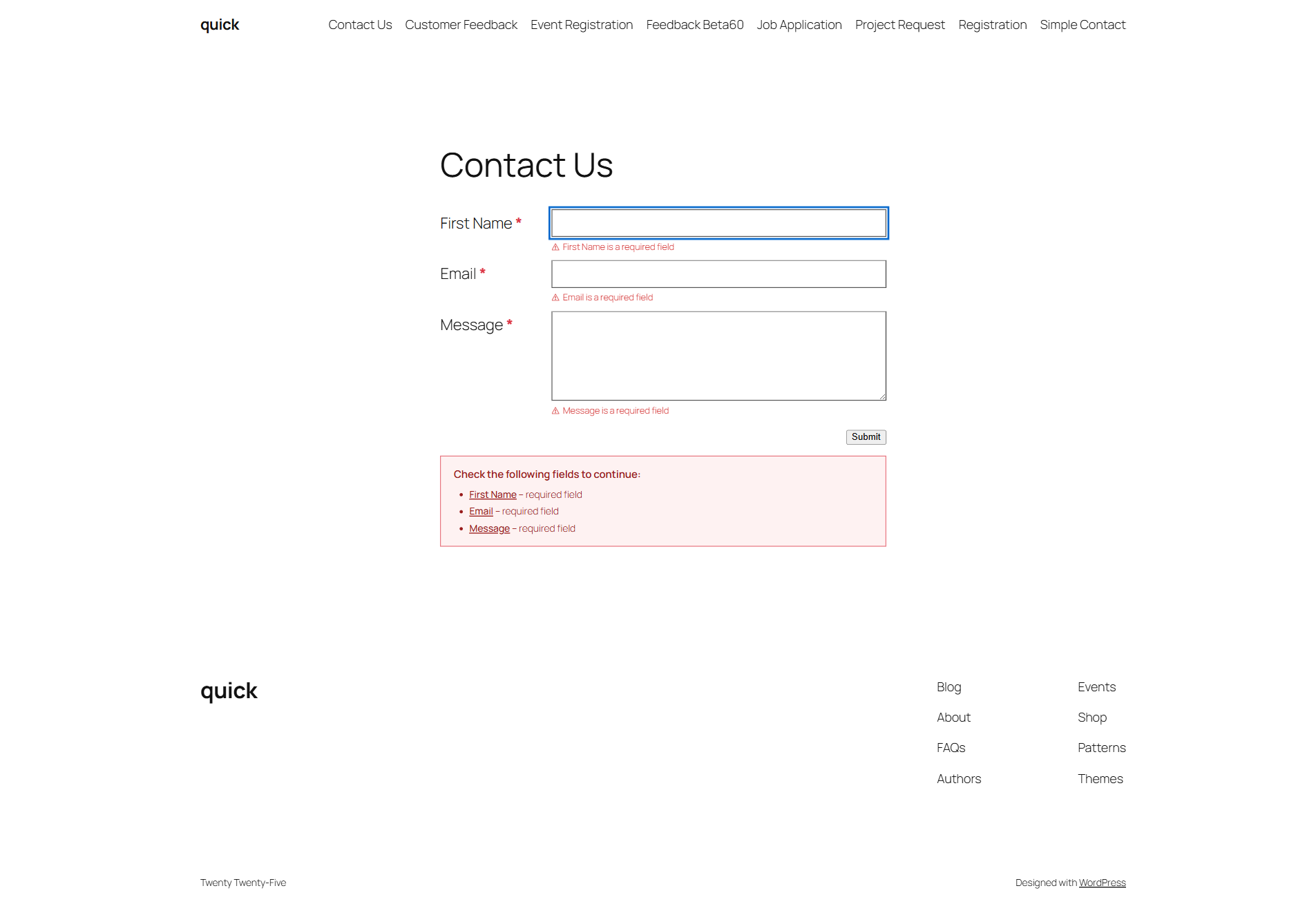
Frontend: Validation Errors
Inline error messages per field and a clickable validation summary.
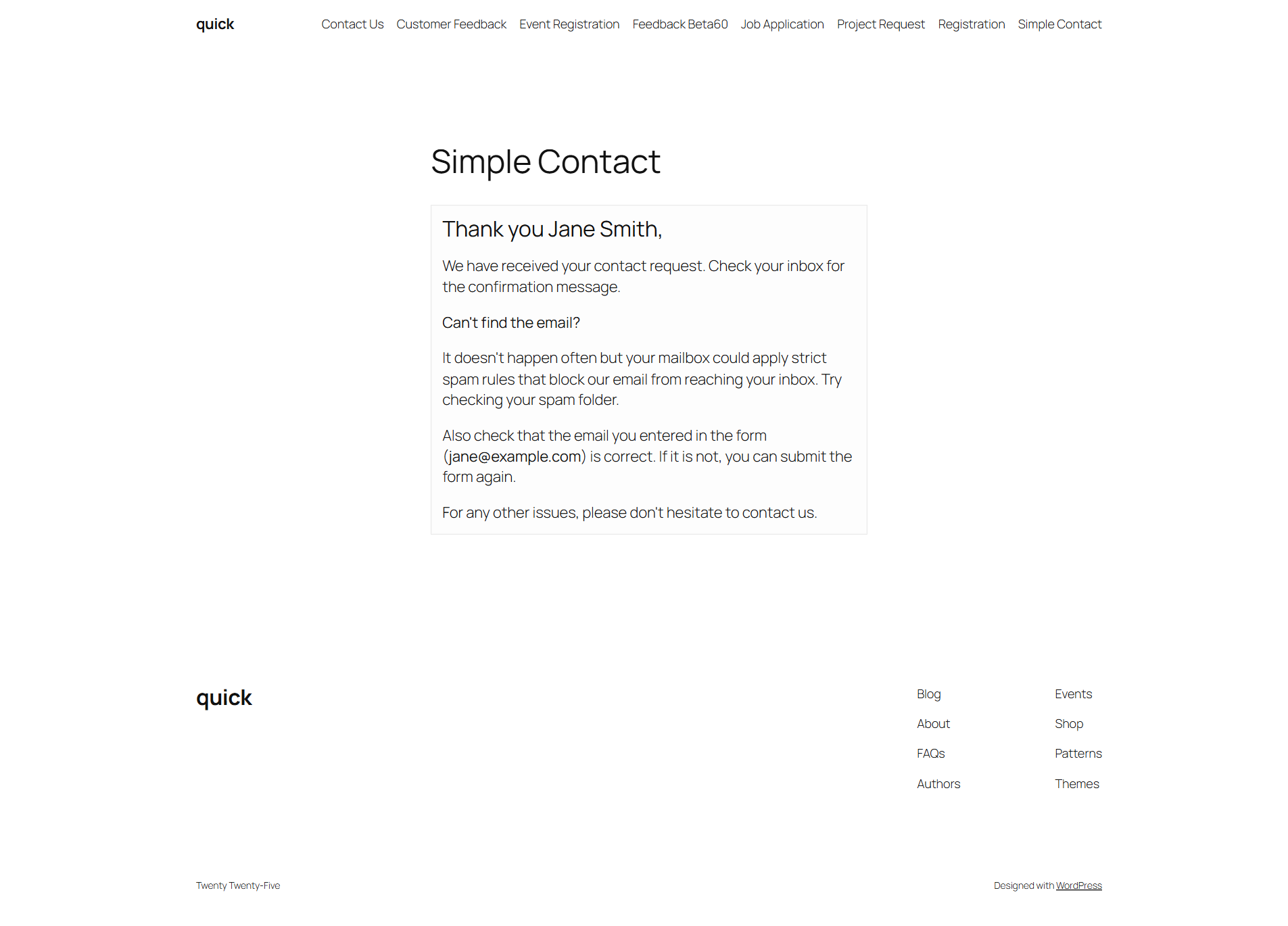
Frontend: Success Message
Customizable thank-you message with dynamic token replacement.
Submissions List
Sortable columns, lead status, row actions, search, and Excel export.
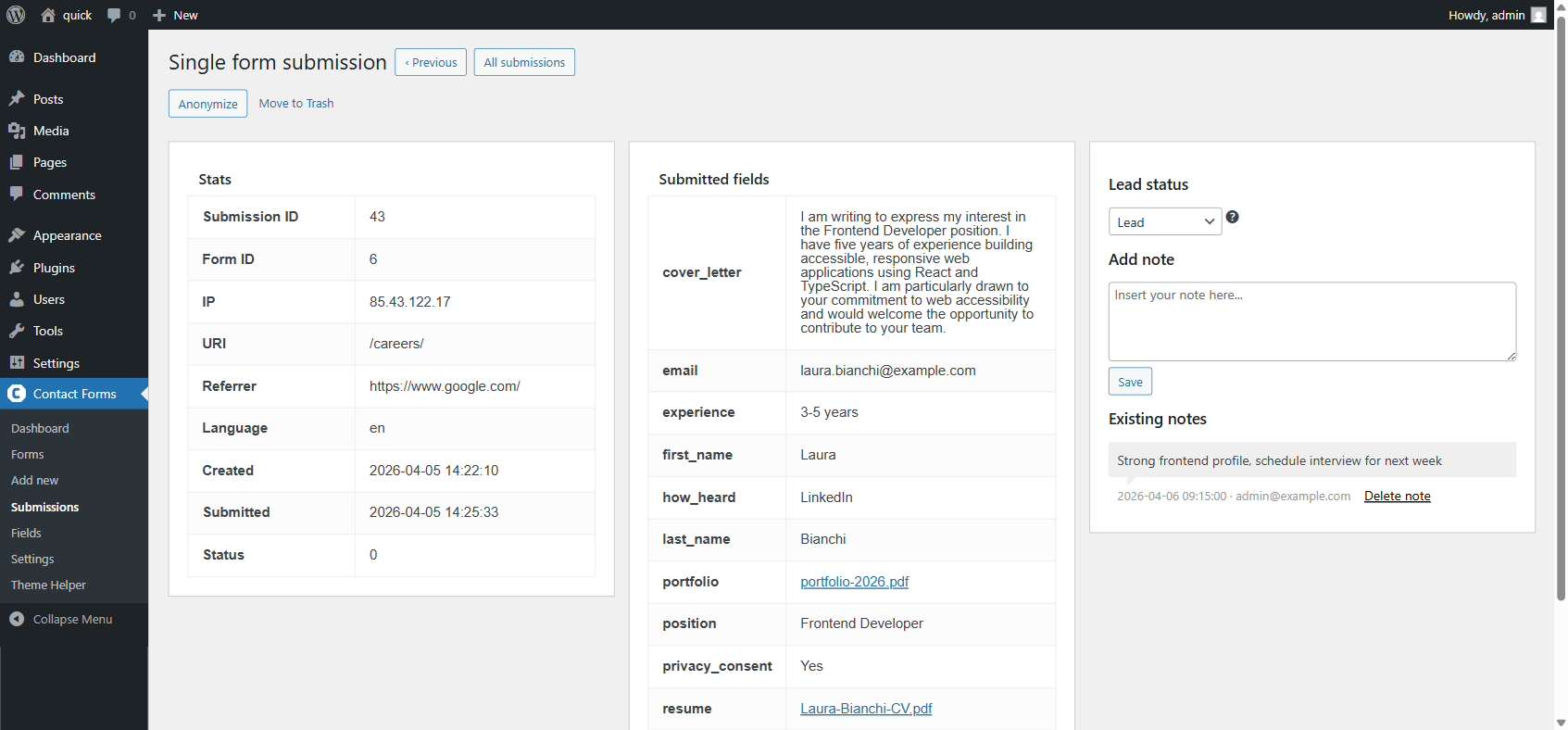
Single Submission
Job application with 11 submitted fields, file download links, lead status, and admin notes.
Dashboard
Track submissions over time with charts filtered by form, period, and content type.
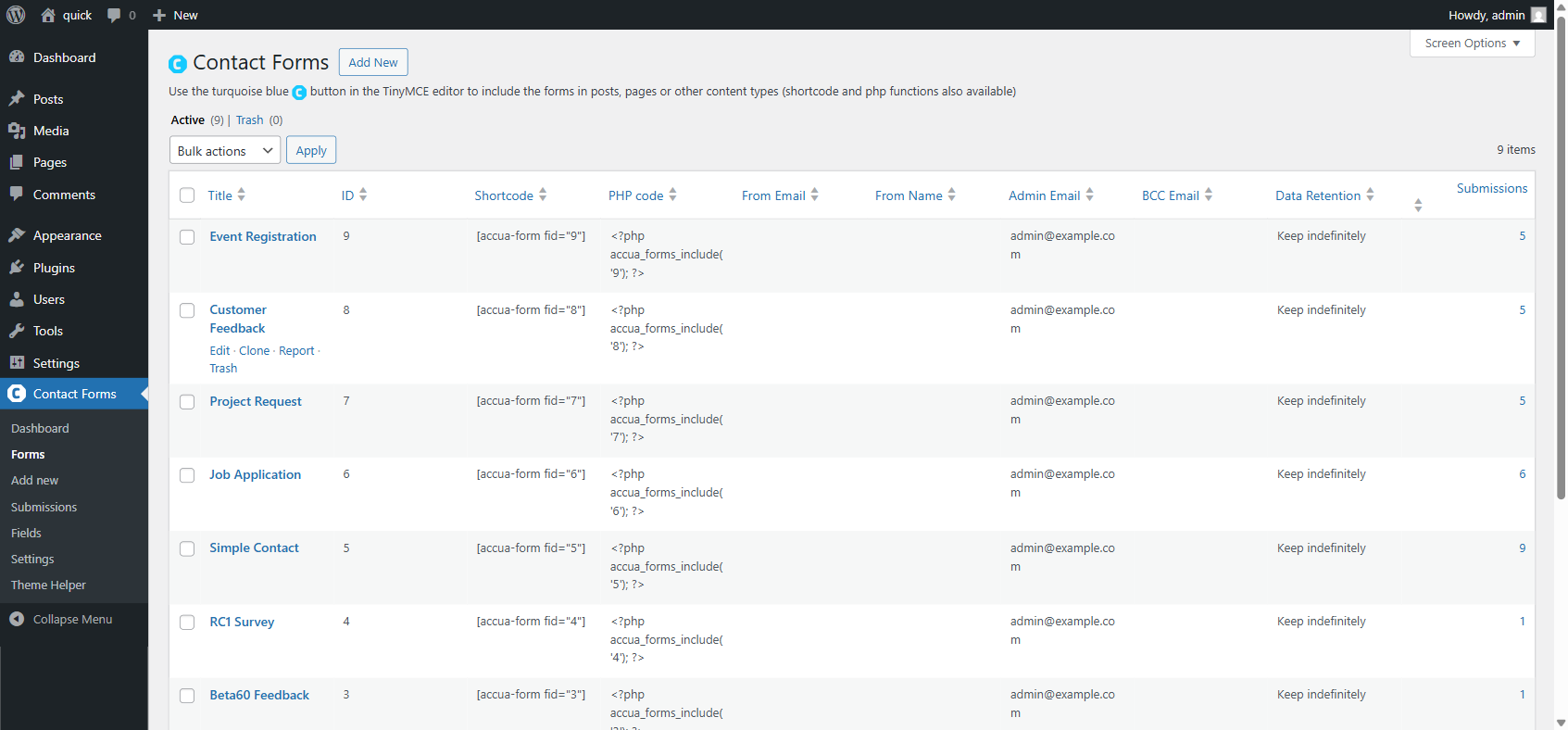
Form List
All forms with shortcodes, admin email, data retention policy, and submission count.
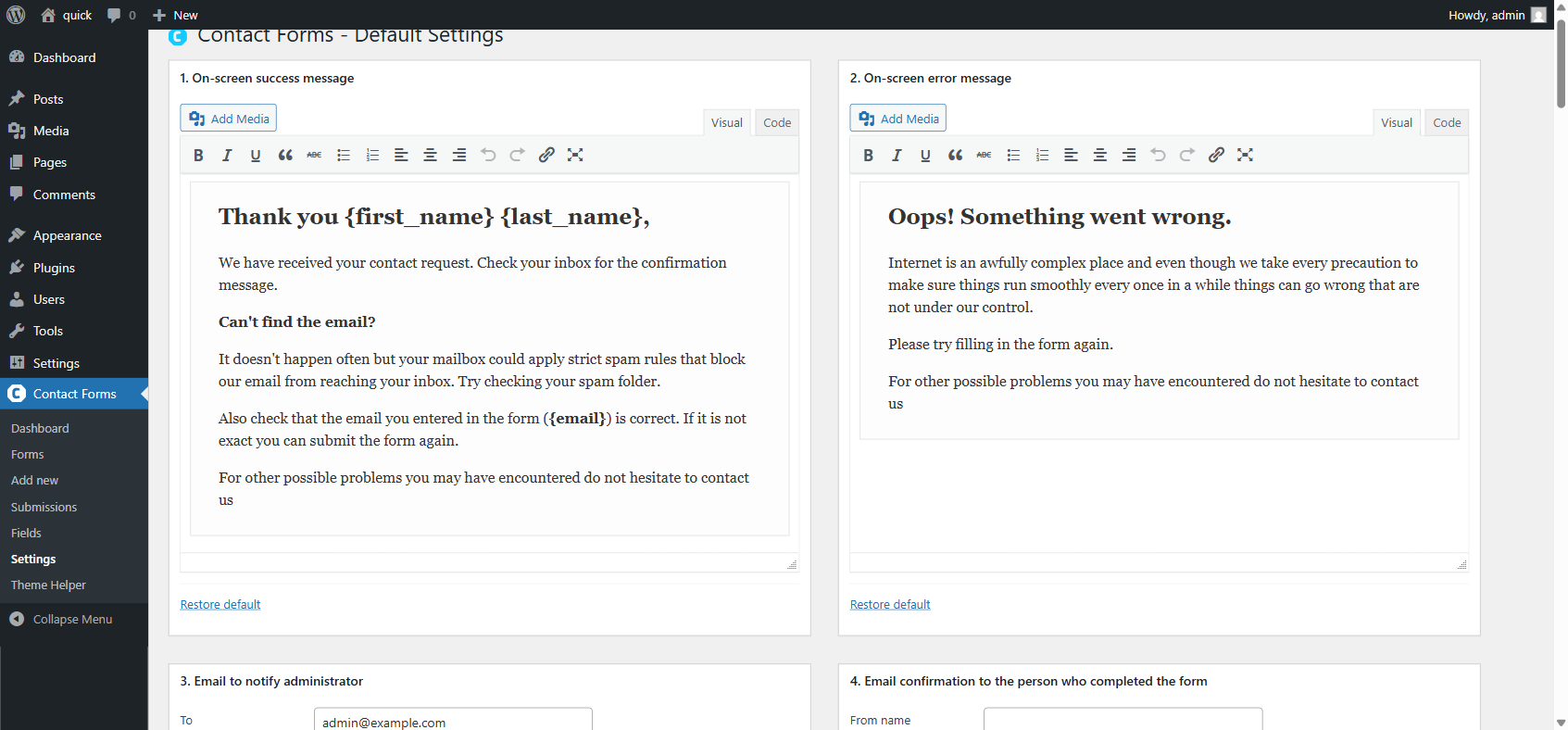
Settings
Default success and error messages, admin notification template, and confirmation email template.
Block Editor
Insert forms from the Gutenberg block inserter.
What Changed in Version 2.0
Version 2.0 is the result of five months of focused development. The main areas of work:
- Accessibility rewrite (WCAG 2.2 AA / European Accessibility Act compliance)
- Inline Labels layout (floating labels)
- Live preview in the form editor
- GDPR data retention, anonymization, and WordPress Privacy API
- Cloudflare Turnstile support (via Simple Cloudflare Turnstile plugin)
- Accessible drag-and-drop file upload
- Phone field with E.164 validation and country codes
- Custom validation messages (per field and per form)
- Custom CSS class and ID on all field types
- Submissions list rebuilt with WP_List_Table (sortable columns, row actions, screen options)
- Dashboard charts updated to Chart.js v4.5.1 with new monthly-by-page chart
- Gutenberg block for form insertion
- Rebuilt classic editor modal with search and keyboard navigation
- Settings page with data retention, Danger Zone, and deactivation cleanup
- Removed 35 unnecessary !important declarations for better theme compatibility
- Plugin Check (PCP) fully compliant
All existing forms continue to work without changes.
Privacy
With the default configuration, Contact Forms does not track users, send data to external servers, or use cookies on the frontend. All submissions are stored in your WordPress database.
If you use reCAPTCHA, visitor data may be sent to Google. See the Google Privacy Policy. If you use Turnstile (via the Simple Cloudflare Turnstile plugin), visitor data may be sent to Cloudflare. See the Cloudflare Turnstile privacy policy.
Installation
- Upload the
/contact-forms/directory to/wp-content/plugins/, or install from the WordPress plugin repository. - Activate the plugin through the Plugins menu in WordPress.
- Go to Contact Forms > Forms and create a new form using the drag-and-drop editor.
- Embed the form in any post or page using the Gutenberg block, the classic editor button, or the shortcode shown in the form list.


